Documentation for Harmony:|| v2026-02-17
| Author: | Ann Lichtfeuer |
| Published at: | Wed, February 18, 2026 |
| Modified at: | Thu, February 19, 2026 |
0. Overview
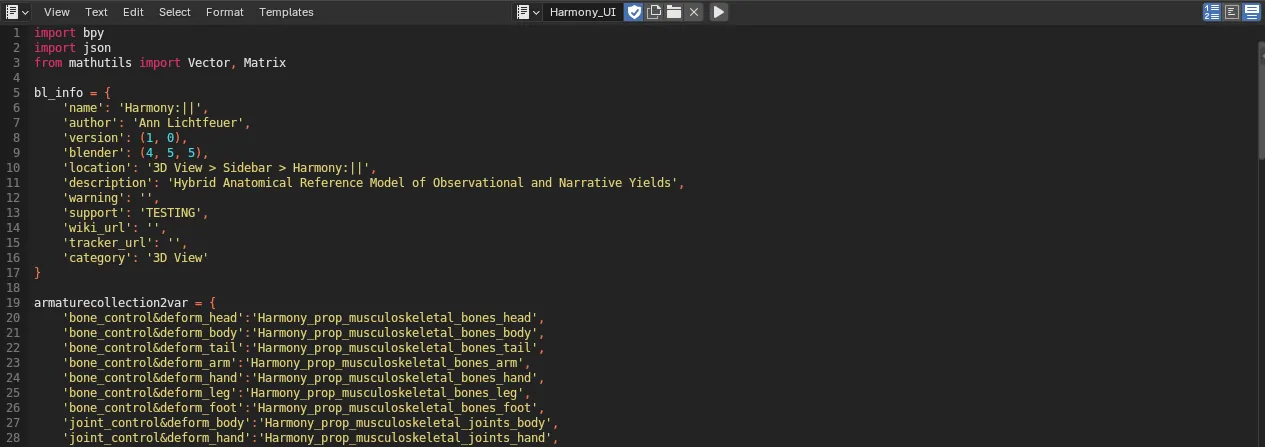 At Opening
 harmony_v2026-02-17_dist.blend file, you have to run script if you need to use some features on N-panel.
Basically, Harmony:|| built on basic functions of Blender. So, you don’t have to run if you don’t need those because all features can control via basic Blender user interface. But it is a hassle, though.
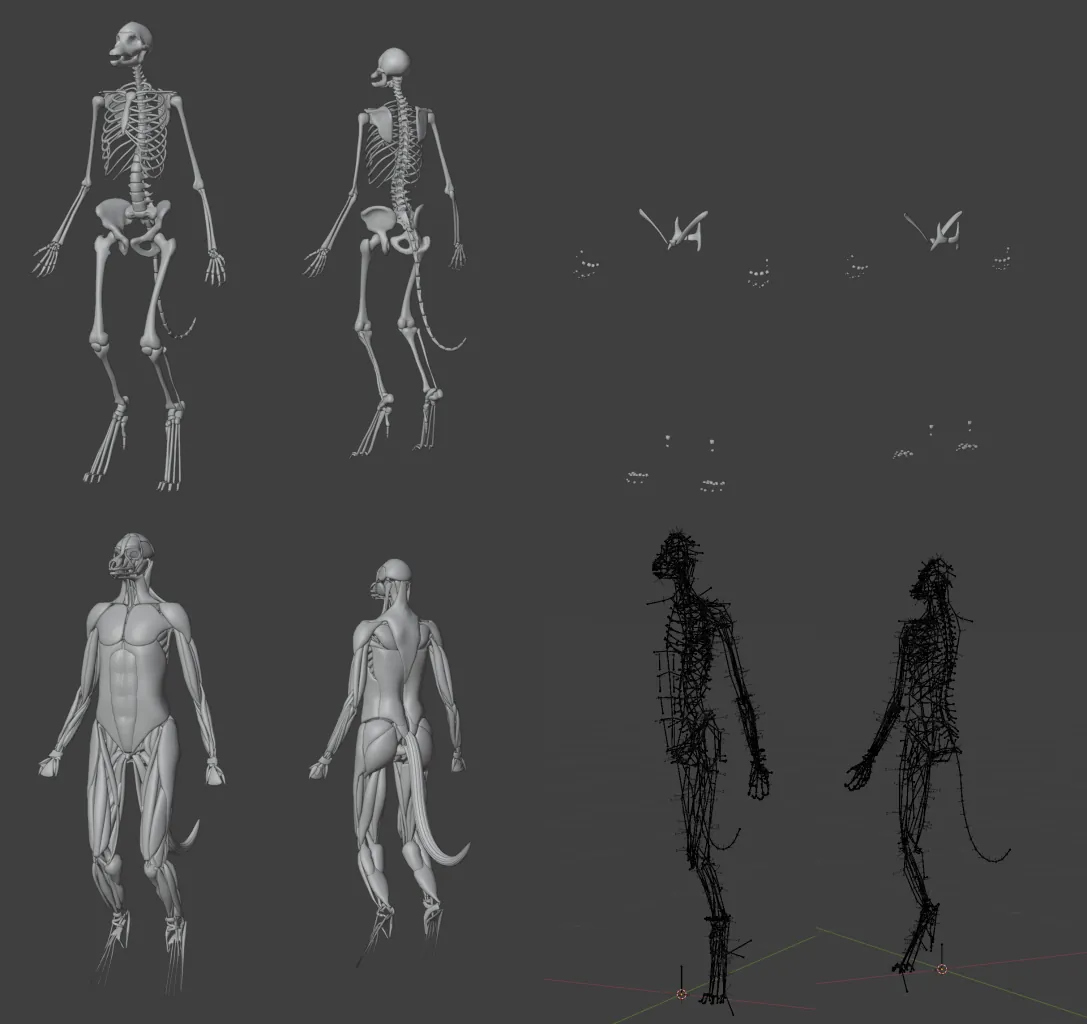 Harmony:|| is constructed from 4 parts;
- Bone meshes(upper left),
- Joint meshes(upper right),
- Muscle meshes(lower left), and
- Structural armature(lower right) All meshes are linked to the structural armature.
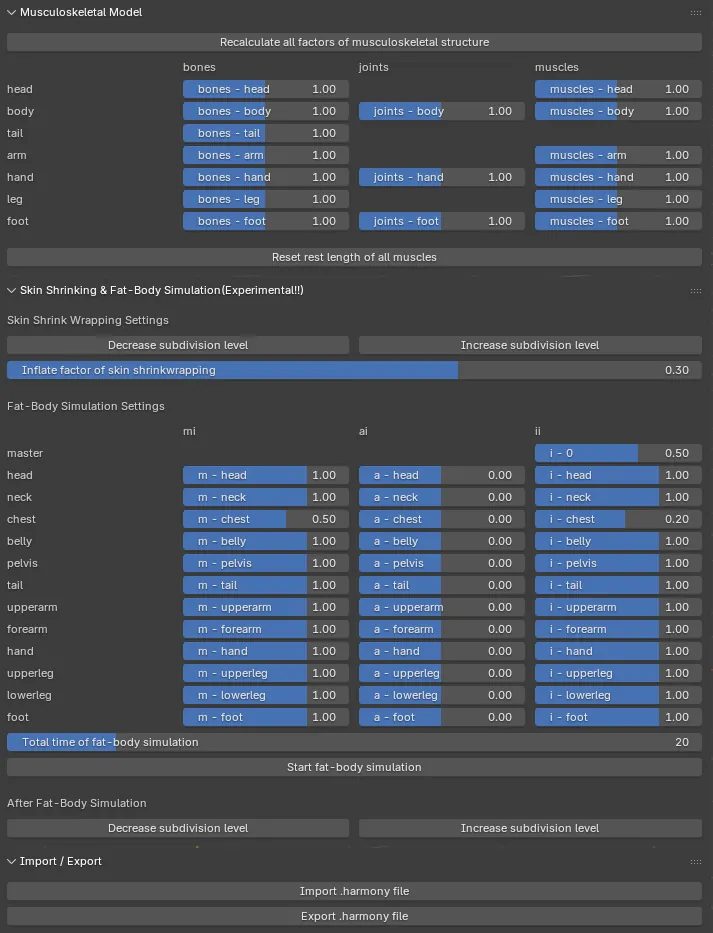 You can deform the body structure via N-panel.
Or, you can manipulate structural armature directly.
…Too many bones? Don’t worry!!
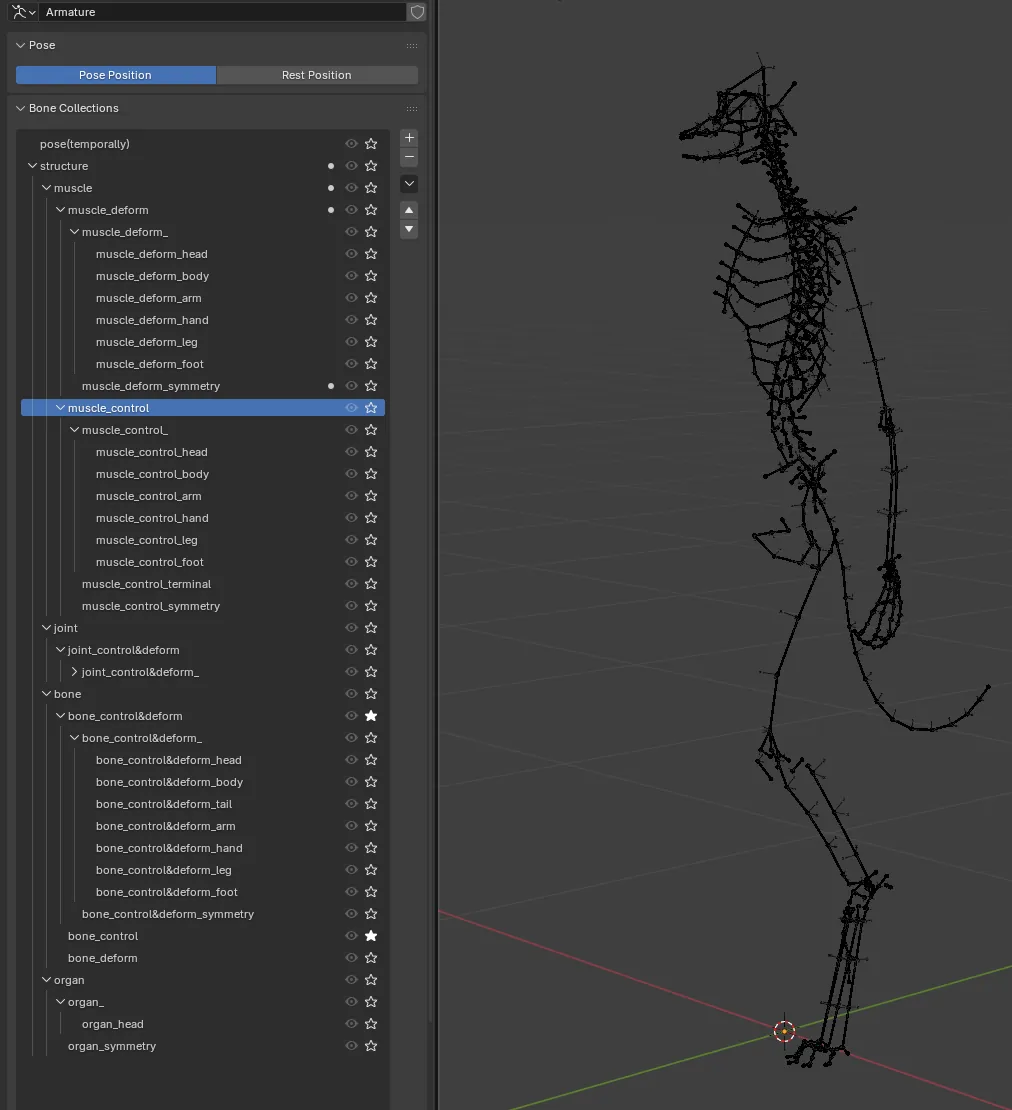 All bones of structural armature are packed in Bone Collections of Armature panel.
Personally, in almost cases, to change the structure, you have to control only
All bones of structural armature are packed in Bone Collections of Armature panel.
Personally, in almost cases, to change the structure, you have to control only bone_control collections.
1. Musculoskeletal Model panel
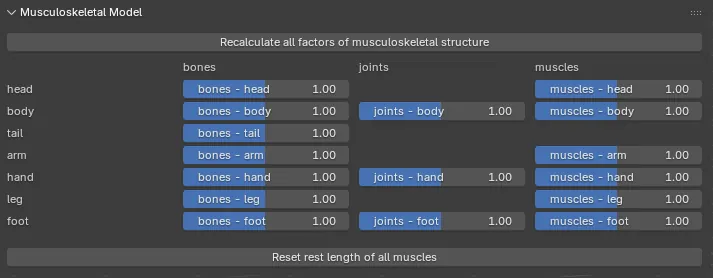
Musculoskeletal Model panel provides easy tweaks to control the structural armature.
Recalculate all factors of musculoskeletal structure
Recalculate all factors of musculoskeletal structure do recalculate all numerical parameter(showing beneath button).
If you manipulate the structural armature directly, the values is not sync automatically.
Thus, if you check values after manipulate, just press it.
Sliders
All sliders are linked to x and z scale of bones of the structural armature.
That is, if you want more muscular body, increase values of muscles columns.
Reset rest length of all muscles
Reset rest length of all muscles do recalculate rest length of STRETCH_TO constraint of bone of the structural armature.
If you manipulate the structural armature directly, shapes of some muscles will be strange.
So, it happens, just press it.
2. Skin Shrinking & Fat-Body Simulation panel
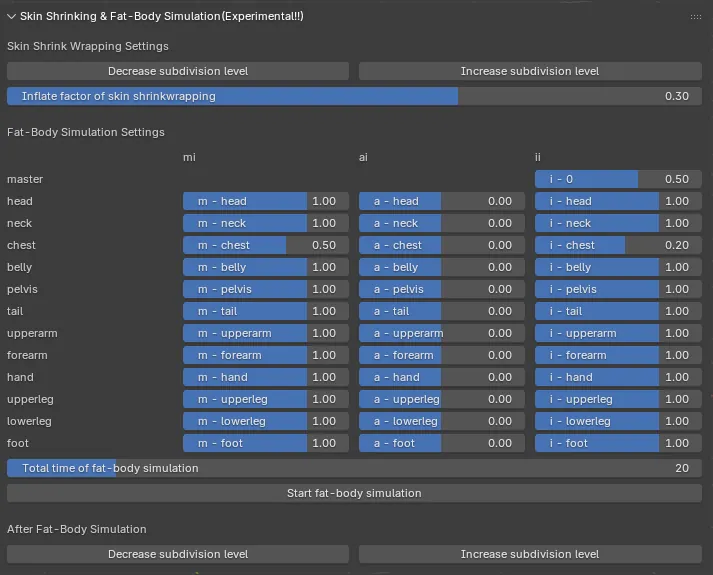
Skin Shrinking & Fat-Body Simulation panel provides configuring of skin meshes.
This is experimental features. Maybe I need to fix it.
Skin ShrinkWrapping Settings
Decrease / Increase subdivision level
As the word. Increase subdivision level before shrink-wrapping induce more musculoskeletal-detailed skin.
Inflate factor of skin shrinkwrapping
After shrink-wrapping, vertices of the skin meshes translate to it’s normal vector Inflate factor of skin shrinkwrapping cm.
Fat-Body Simulation Settings
Sliders
All sliders are linked to vertex weight which control fat-body simulation. Conceptually, fat-body simulation is just a cloth simulation. In notation, sub script express the part of body. The pressure and inflate factor are expressed to
where;
- is the base pressure map,
- is the part-filter map,
- are pressure parameters of th part, and
- is basic inflate factor.
Total time of fat-body simulation
As the word. The total simulation time.
Start fat-body simulation
As the word.
After Fat-Body Simulation
Decrease / Increase subdivision level
As the word. Increase subdivision level after simulation induce more smooth looks.
3. Import / Export panel

Import /Export panel provides load and save the structural deformation.
If you press it, you will see frequently seen file browser.
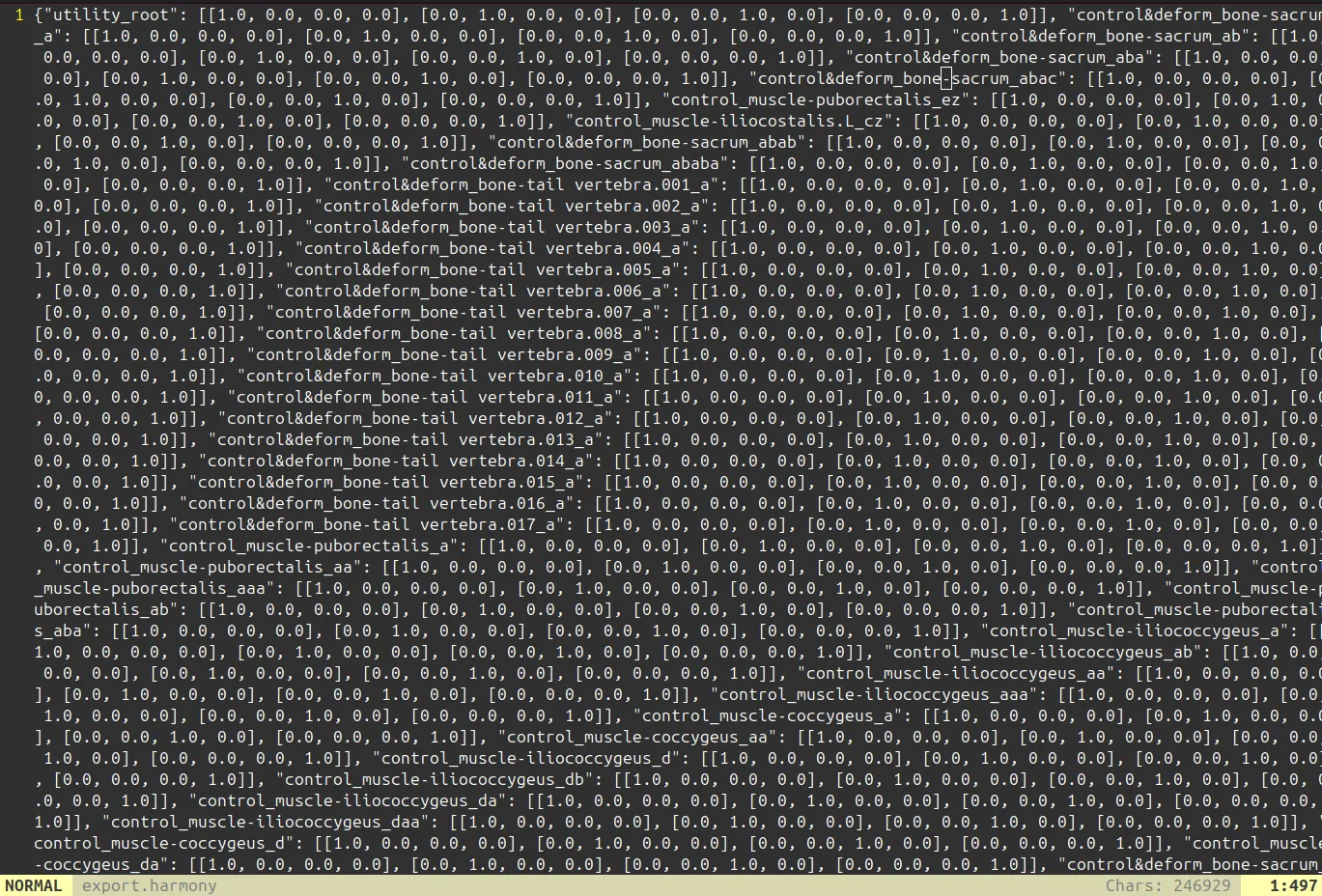 The saved file which have
 .harmony extension is just a kind of json file.
Therefore, you can check exported result on standard notebook app.